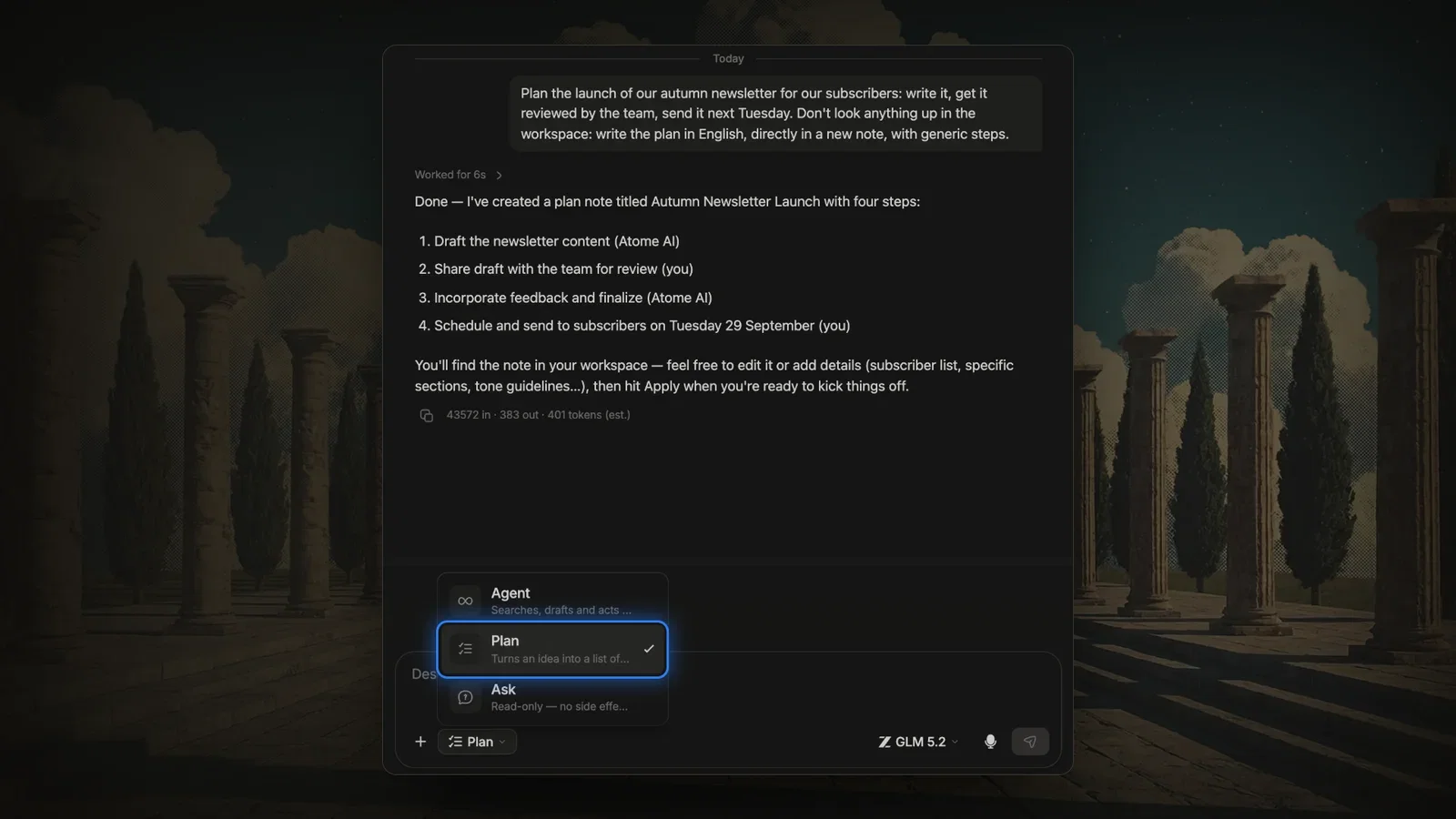
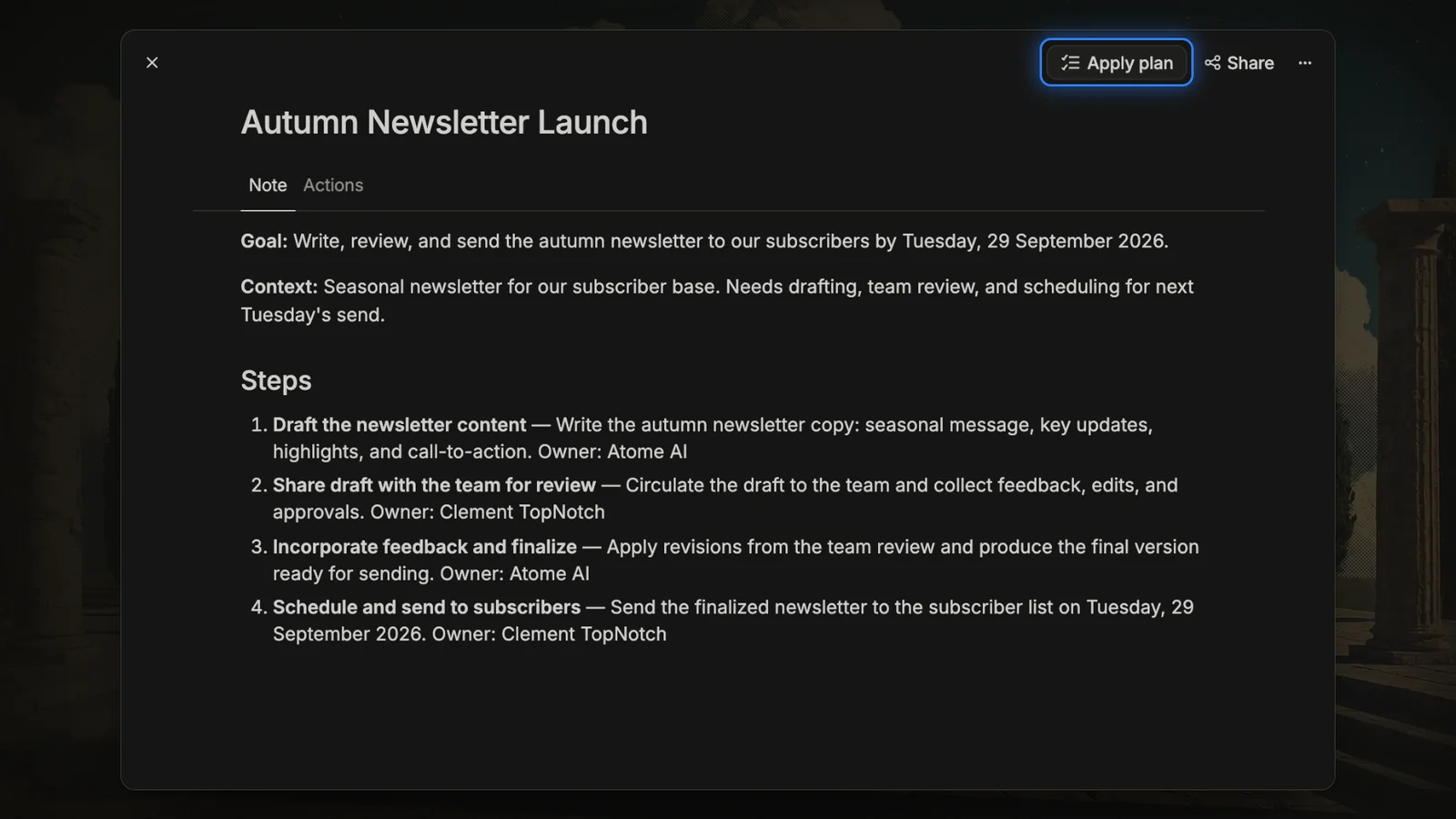
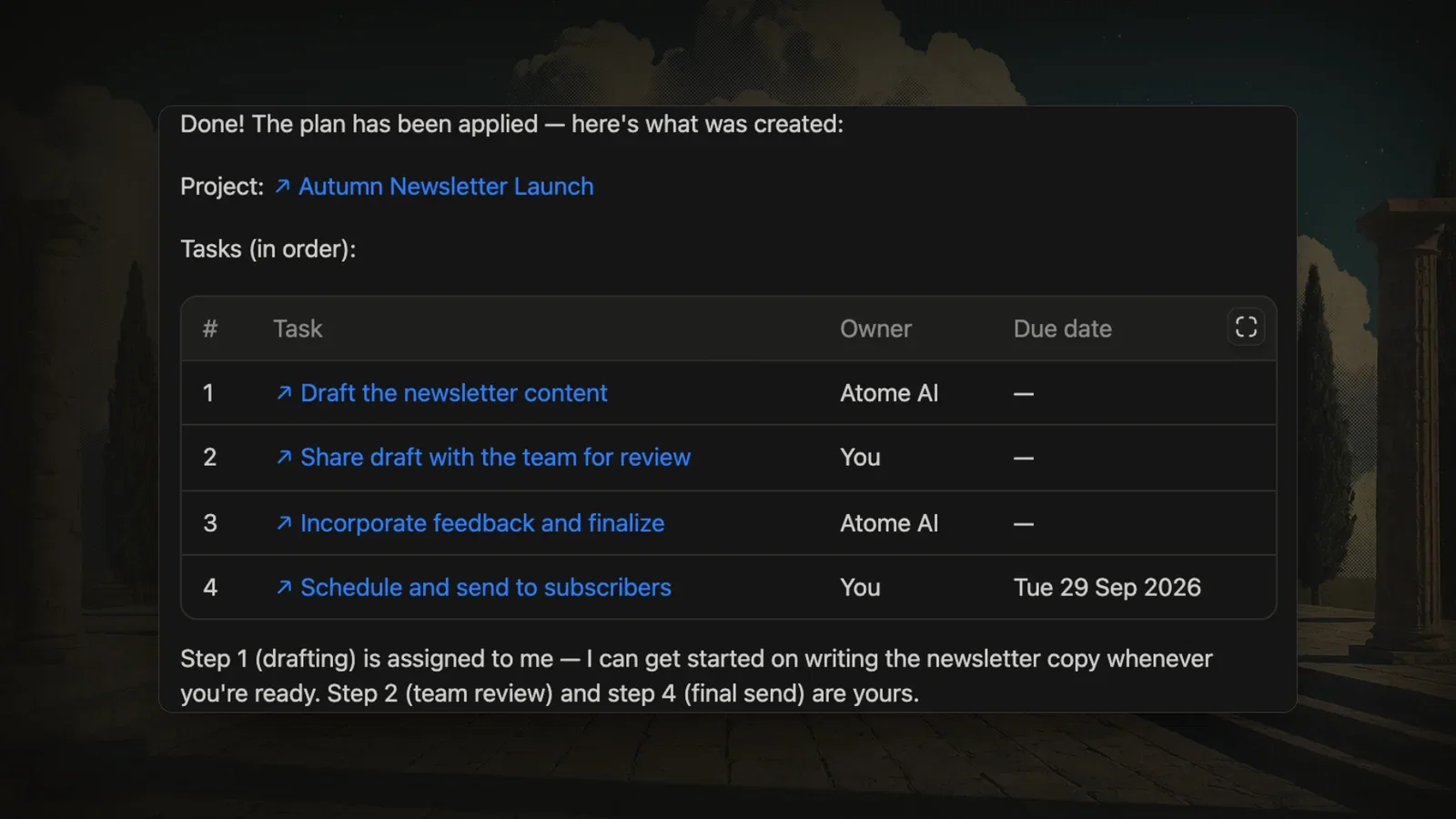
AI artifacts, comments on any text, and a new Brain
Eight weeks of work in one release: the agent turns a note into a live page, you comment on any passage with your team, and the Brain shows what your agents learned.
AI artifacts: a note becomes a live page
Ask the agent to turn a note into a live page: a dashboard, a chart, a diagram, a one-pager. Open it full screen, comment on any part of it with your team, ask the agent to change it, go back to an earlier version, and publish it with a public link. Artifacts have their own tab in Notes and open on mobile too.
-
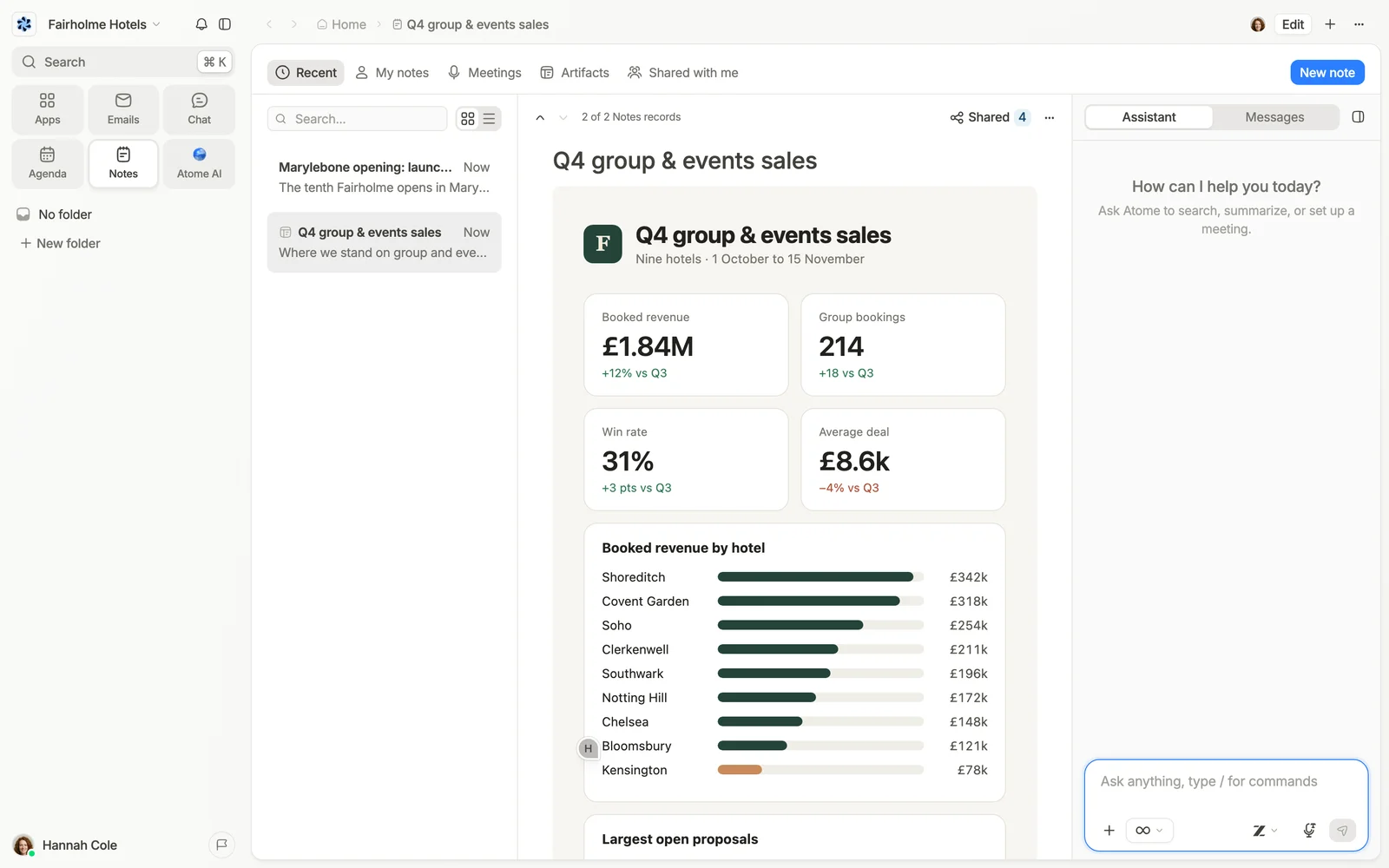
The note carries its artifact: here, a Q4 sales dashboard the agent built.
-
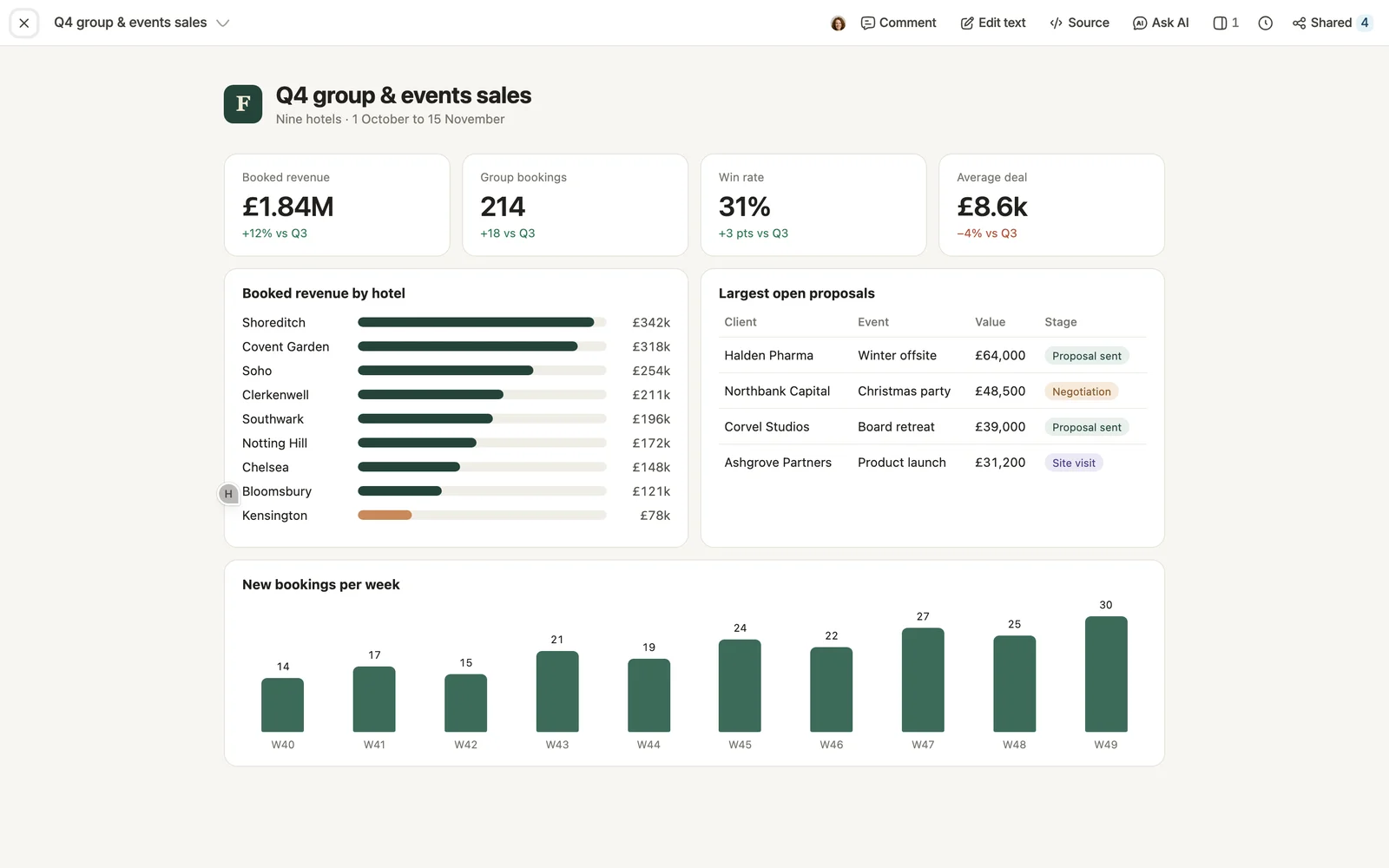
Open it full screen, with Comment, Edit text and Ask AI at the top.
-
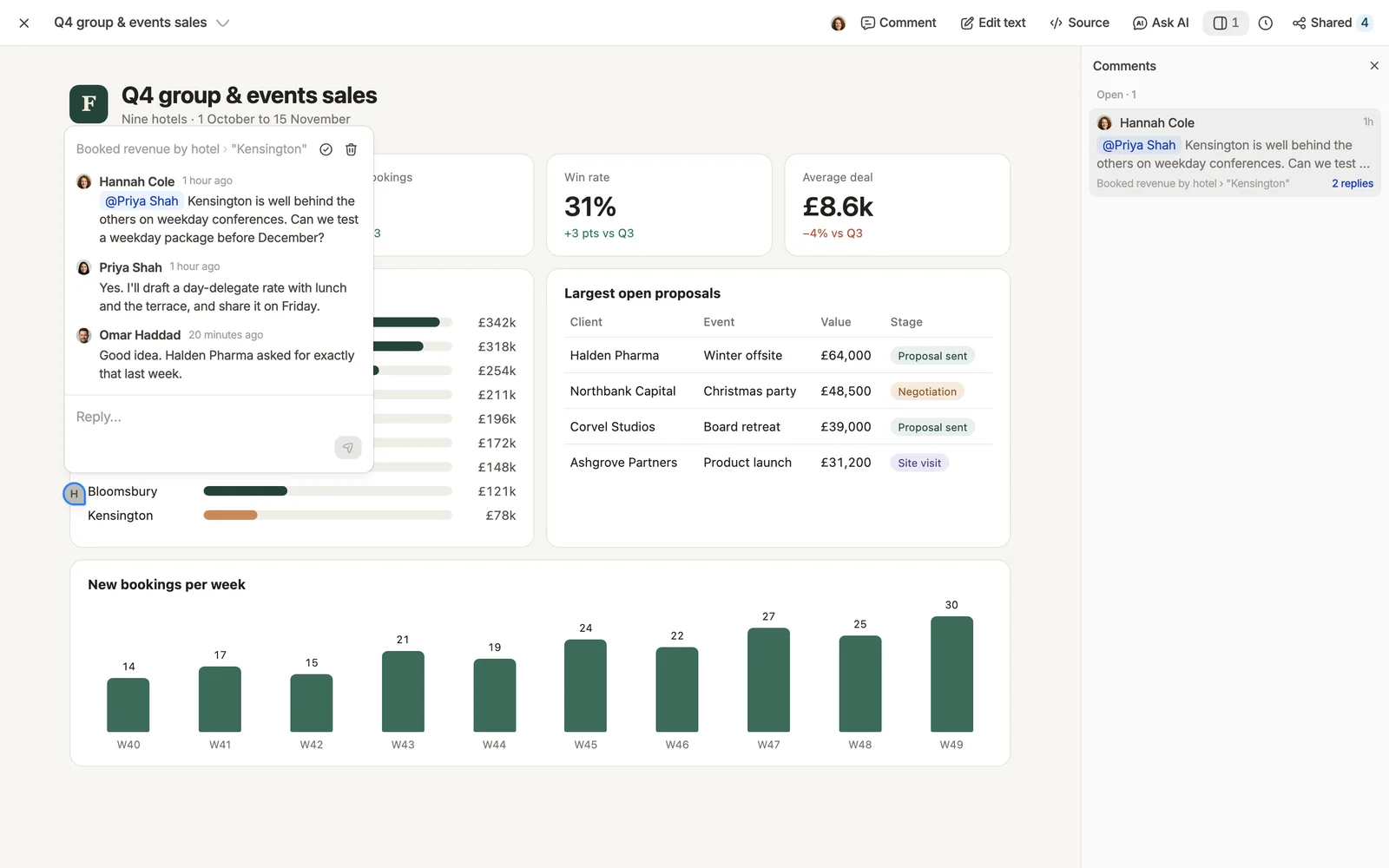
Comment on any part of it: the thread stays on the row it is about.
-
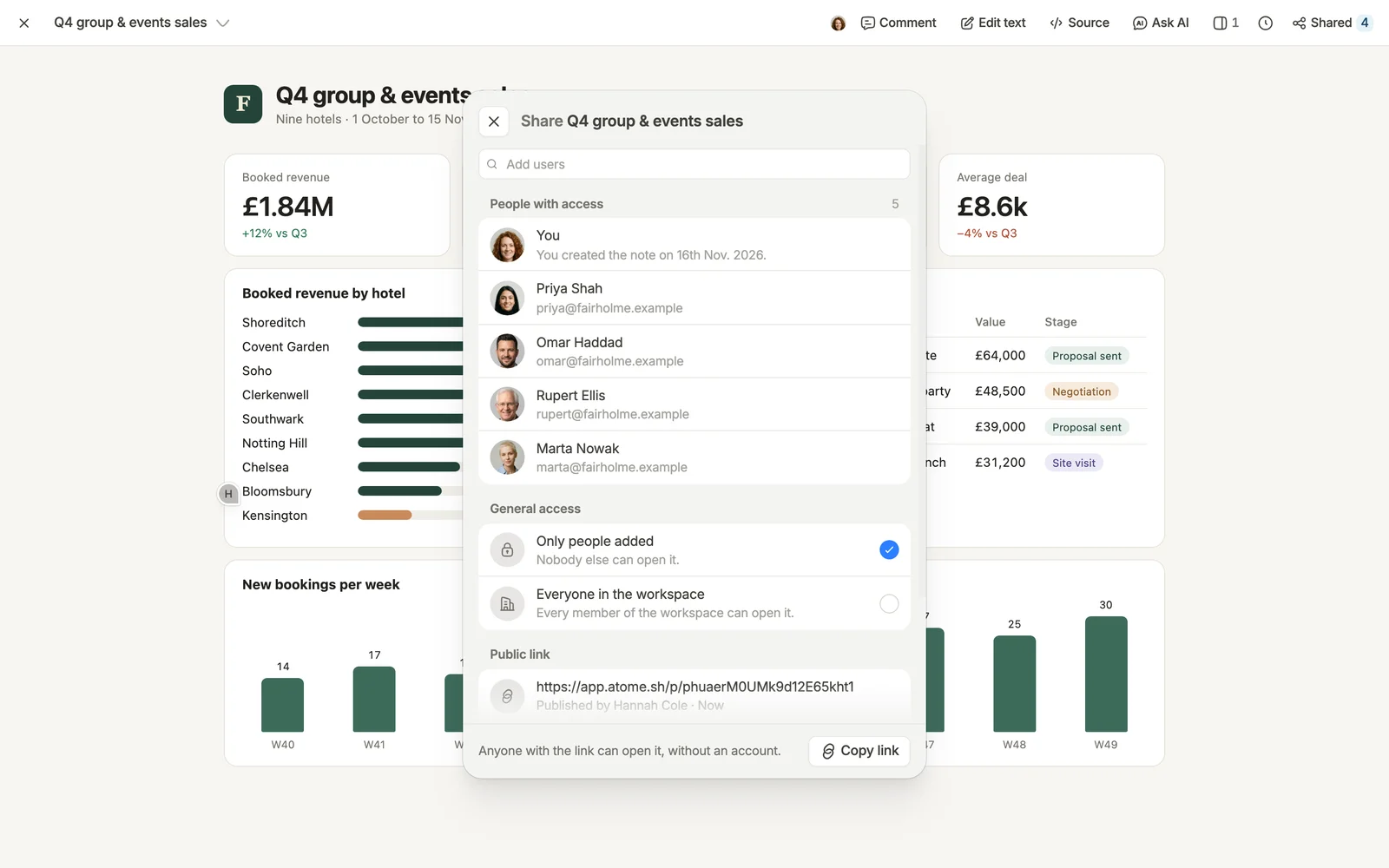
Publish it to the web: anyone with the link can open it, without an account.
Comment on any passage
Select a few words in a note, an email draft or a rich-text field, then click Comment. The thread stays pinned to that passage: reply, mention a teammate, resolve it. Ask @Atome AI to rewrite the passage and it makes the change, then closes the thread.
-
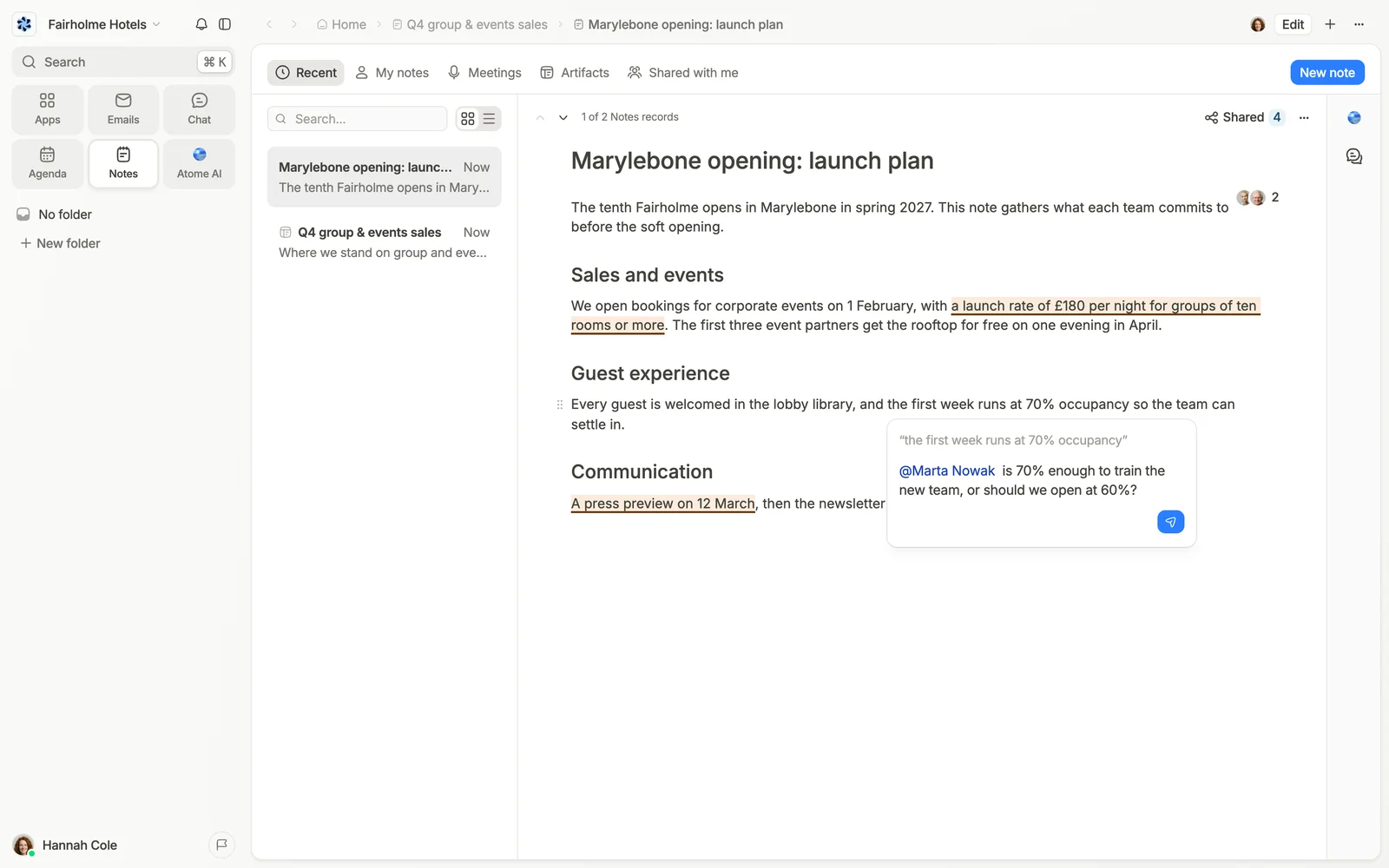
Select a passage, click Comment and mention a teammate.
-
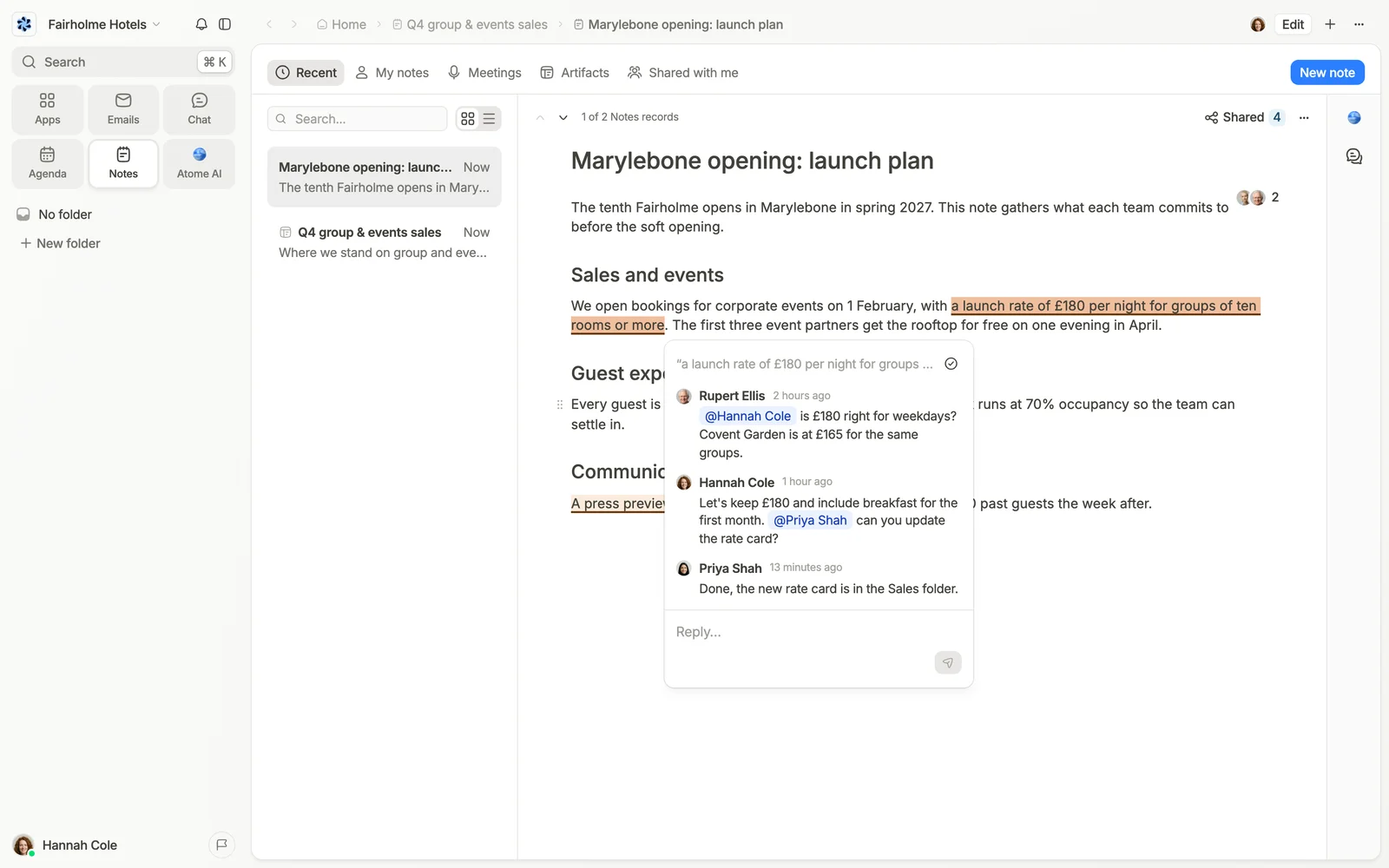
The thread stays on the passage, with every reply.
-
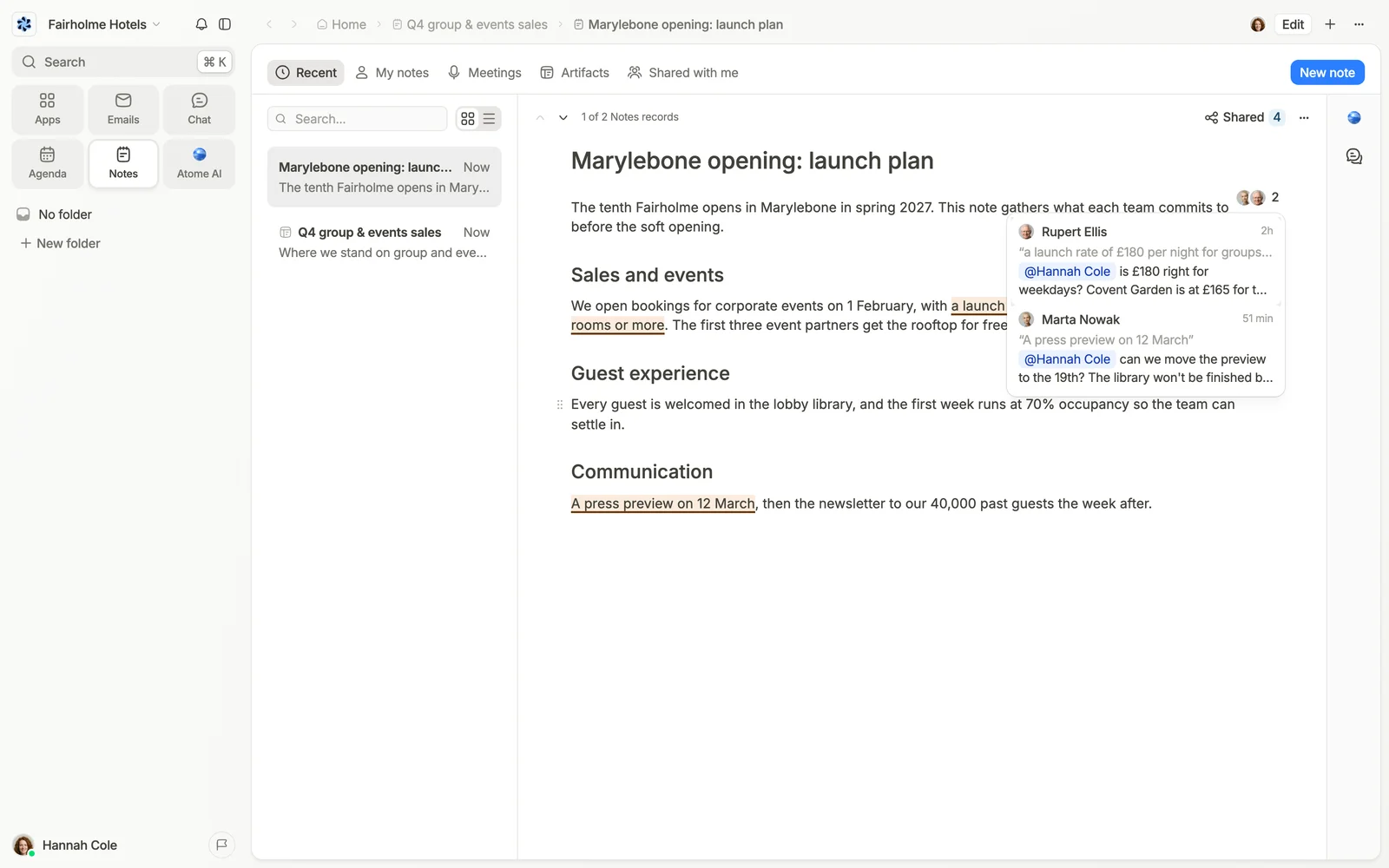
The note's open threads are one click away, at the top of the text.
A new Brain for your agents
The Brain opens on what your agents did and learned, with a library of skills you sort into groups, a map of the workspace and the proposals to review. My brain gathers what Atome knows about you: profile, preferences, reminders, what it remembered and the skills it uses for you. The agent builder takes the same design.
-
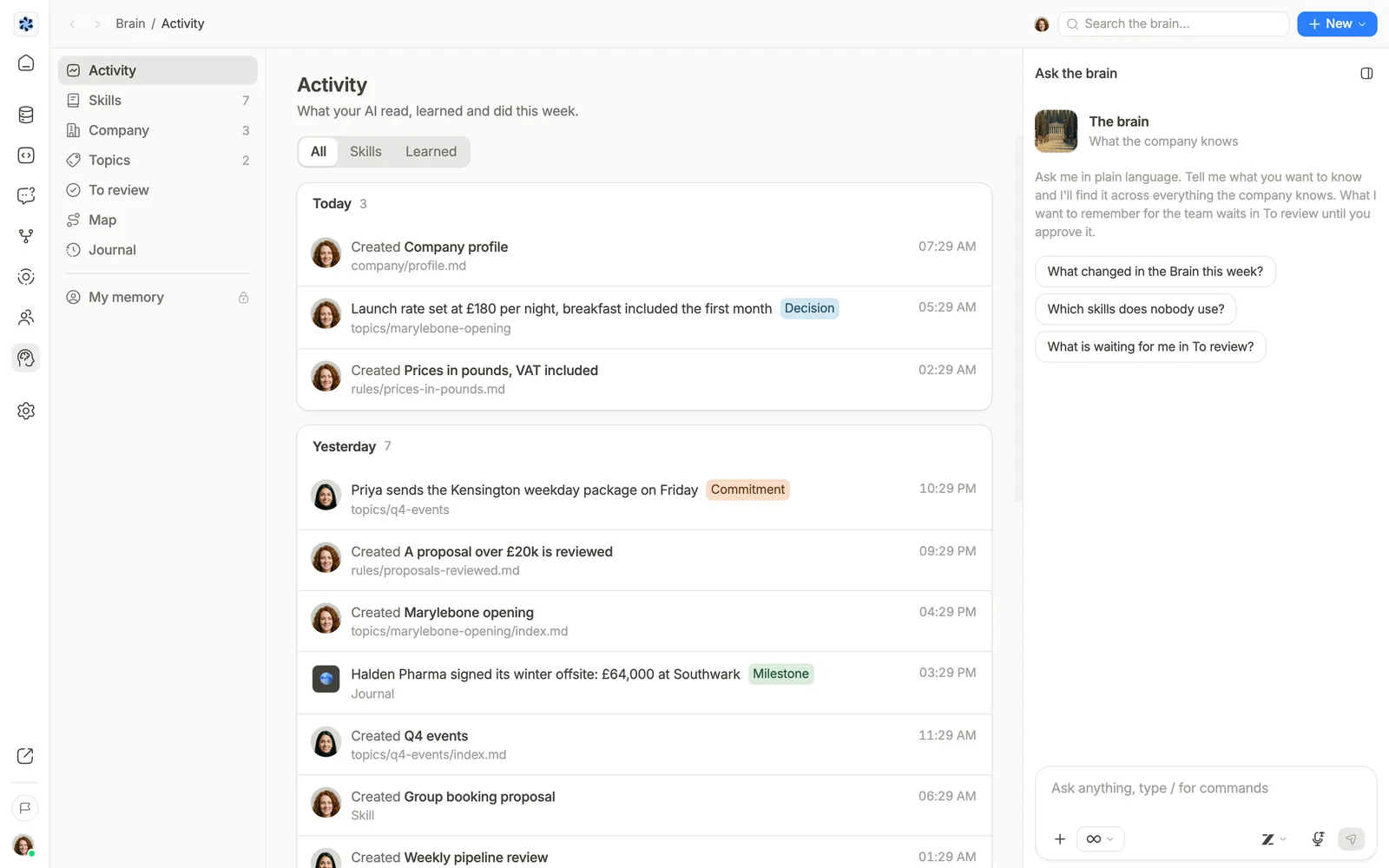
Activity: what your AI read, learned and did this week.
-
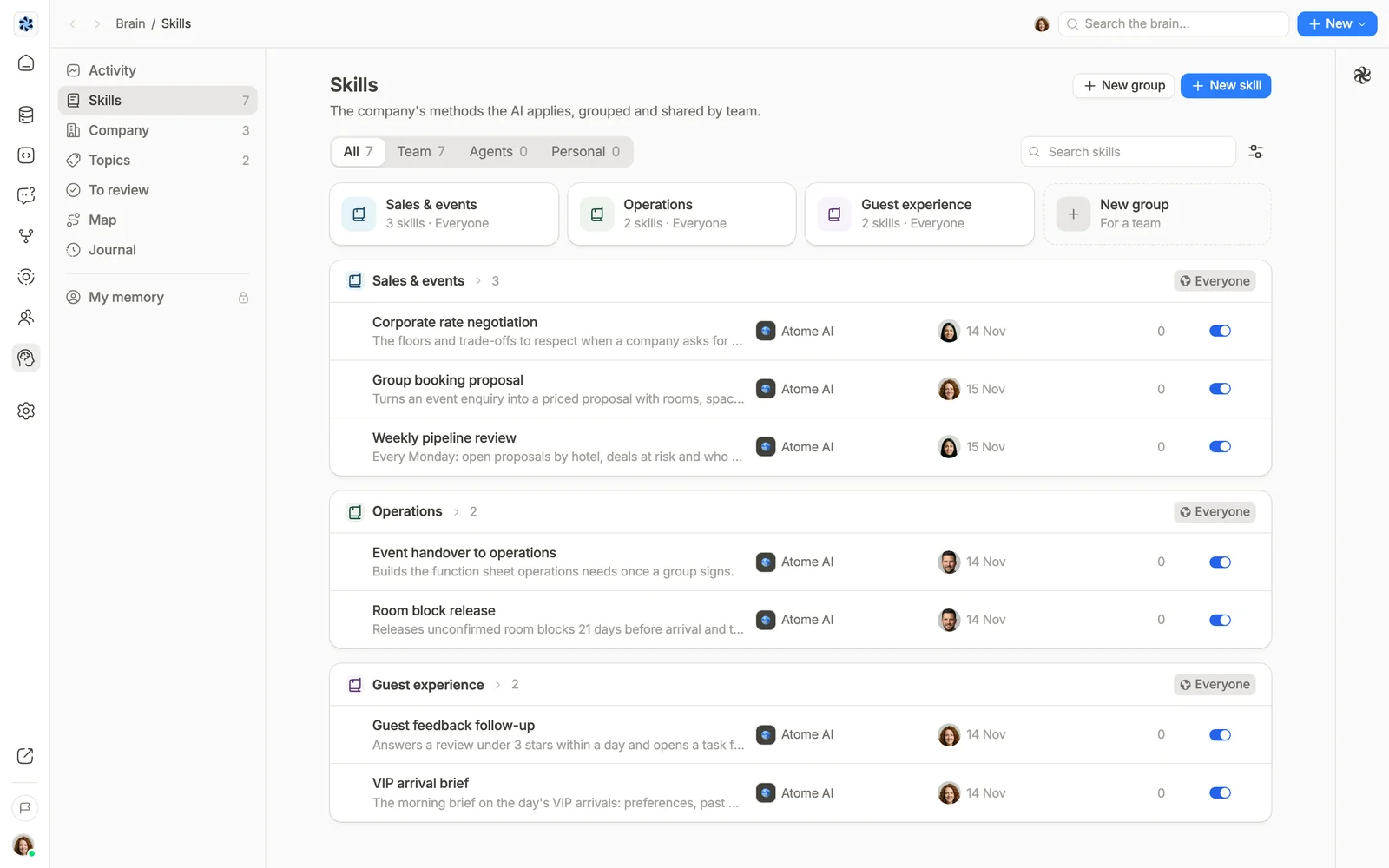
Skills: the company's methods, grouped and shared by team.
-
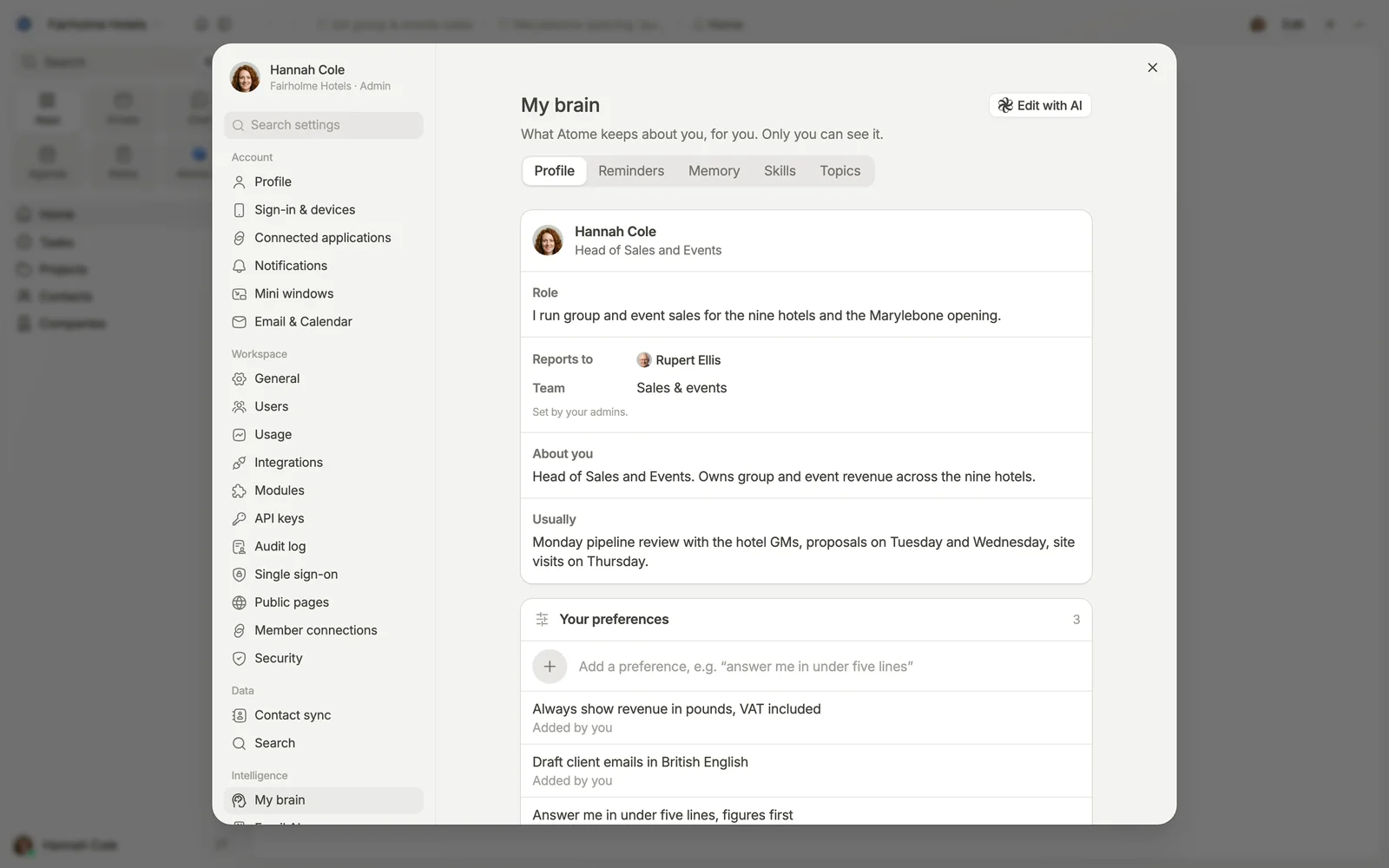
My brain: what Atome keeps about you, for you. Only you can see it.
Improvements
- AI agent Connect Claude to Atome with Sign in with Atome, no API key: choose the workspaces and what Claude may do in each
- Emails Use Atome with any mailbox, not only Gmail or Outlook: connect kSuite, OVH, IONOS, iCloud or any IMAP mailbox, with its calendar (on request)
- Emails Added email campaigns: send a personalized email and its follow-ups to a list of contacts from your own mailbox, and see who replied (on request)
- Views Added a Planning view that shows each person's load, and a timer in the top bar whose time lands in your timesheet (on request)
- Messages Press
⌘Fin a conversation to search its whole history; a message found from⌘Kopens right on that message - AI agent Ask Atome to remind you of something, once or every week: the reminder rings on time, and Atome can prepare what you need before it does
- AI agent When the assistant edits a note, an email draft or a text field, it shows each change, which you keep or decline one by one
- Pages The interface builder's Assistant builds and edits your pages: describe a dashboard, a chart or a record page and it appears, ready to publish
- AI agent Agents can be assigned to channels, where every member calls them with @, and they answer in a thread on your message
- Meetings A recorded meeting now has one bar, at the bottom of its note and in the sidebar, from the recording to the transcript to the replay
- Calendar Meetings open in a simpler sheet: drag on any calendar to create one, repeat it on a weekday like "the first Friday", set it as busy, free or private, and add a Meet or Teams link
- Calendar Meetings calendars show teammates' meetings in their colour, and events that span several days are one bar you can drag or stretch
- Emails Type / in an email and pick Propose times…: each time you tick becomes a link that books it, with the recipients already invited
- Emails Added an AI quick reply under email drafts: a few words write the reply
- Messages Send voice messages from the web, desktop and mobile apps, with what was said written under them
- Messages Type # in a message to reference a company, contact, task or any record, shown as a chip that opens it; a pasted record link becomes one too
- Messages Pin a message from its menu and find it in the conversation's Pinned tab, for everyone in the conversation
- Messages Pick Open in mini window to keep a conversation, an email thread or an Atome AI chat at hand while you work on any page
- Views Dashboards were redesigned: goals show on every chart, number tiles have new looks, heatmaps show when things happen, and clicking a chart opens its records
- Pages Pages now have drafts: edit in the builder without the team seeing it, review what changed, and publish when ready
- Pages The sidebar is now a grid of tiles, one per place with its own menu: drag them into your order and pin any page with Pin as tile
- Pages
⌘Kfinds everything from one field: the best match first, filters by kind, and the actions of the page you're on - Data & fields Select duplicate companies or contacts and click Merge: compare them side by side, choose each value to keep, and get one record with all their emails, meetings, files and tasks
- Data & fields Added Find emails: look up a contact's work email and phone, one at a time or for a whole selection
- Data & fields Files is now the Drive: recent files with previews, the company's folders and the folders kept in records, and one click to file a document in the right company's folder
- Data & fields The Data app opens on a gallery of your collections, each with a live preview, and every collection has Recent and Trash views
- Forms Forms were redesigned, can ask for files on public forms, and have new Email and Phone questions
- Automations An automation can start in several ways: add a second trigger (a button, a form, another record event) from its trigger card
- Sharing Added Groups in Settings → Users: share a page with a whole group at once
- Sharing Open a note, task, project or record to everyone in the workspace from its Share sheet; only the people you added can edit it
- Sharing Each access rule can be set to Can view or Can edit, so admins can make a table view-only
- Account Sign in with your company's identity provider: workspaces can connect Okta, Microsoft Entra, Google or any OIDC or SAML provider, and require it for their domain
- Account Added Settings › Security and Settings › Audit log: admins limit access to approved networks, set how long a sign-in lasts, sign out members' sessions, and export the audit log
- Account Added Continue with Microsoft to the sign-in page
- Account Settings have a new look, with a search that finds any setting
- Account Atome is now available in Portuguese, both Brazilian and European
- Mobile Added an Apple Watch app: talk to your assistant from your wrist, triage your inbox, see your next meetings, record a meeting and reply to messages Mobile (iOS)
- Mobile Added home-screen and lock-screen widgets: a one-tap voice note, the AI agent, your upcoming meetings and your workspace's apps Mobile
- Mobile Your custom apps and forms now open on mobile: pages, tables, boards and record pages render natively, and forms work even offline Mobile
- Desktop
⌘Topens a new tab with search already open, like a browser Desktop - Performance Atome opens with about 60% less code and shows a loader at once, and opening a conversation, an email or another app responds instantly Faster
- Mobile The mobile app starts faster, uses far less data, and opens app pages about three times faster Faster Mobile
- Forms Public forms and published pages load several times faster Faster
- Data & fields Upload Outlook emails (.msg), Apple iWork files, macro-enabled Office files, RTF and archives, up to 500 MB
Fixes (30)
- Calendar Fixed an issue where an Outlook meeting moved by its organizer, or part of a recurring series, could stay at its old time in Atome
- Calendar Fixed an issue where a Google or Outlook calendar could stop syncing new events
- Calendar Fixed an issue where answering a meeting invitation in Atome went back to "Pending" after a reload
- Calendar Fixed an issue where moving or editing a meeting in Atome didn't update it in Google Calendar or Outlook
- Calendar Fixed an issue where an event crossing midnight didn't show in the week view
- Emails Fixed an issue where an email deleted or moved to another folder in Outlook stayed in the Atome inbox
- Emails Replying to an email now goes to its Reply-To address when it has one, like in Gmail and Outlook
- Emails Fixed an issue where emails sent from Atome didn't create the recipient's contact and company
- Emails Fixed an issue where right-clicking a mixed selection of emails offered "Mark as unread" but marked them all as read
- Emails Fixed an issue where deleting a new email's draft left an empty "(No subject)" conversation in the inbox
- Emails Fixed an issue where text written in colour in an email showed in grey
- Emails Fixed Excel and other Office attachments opening as unreadable text in the browser
- Messages Fixed channel names losing their accented letters
- Messages Fixed an issue where translating a message, adjusting its tone or drafting an email with AI failed with an error
- AI agent Fixed an issue where the AI assistant's replies could start mid-word, missing their first letter or word
- Data & fields Fixed an issue where picking a record in a linked-records field could replace the other links instead of adding to them
- Data & fields Fixed formulas that use a field whose name contains an apostrophe, like "Chiffre d'affaires"
- Views Filters now read fully in French and Spanish, operators and relative dates included
- Views Fixed long text overflowing cards, tags and table cells; it now ends in "…" and shows in full on hover
- Pages Fixed an issue where a note could lose content when edited from an outdated version of Atome; it now opens read-only with a reload prompt
- Account Fixed sign-in links that sometimes showed "Invalid code" although you were signed in
- Account Members added by an admin can now sign in with Google the first time
- Account Fixed an issue where your Google photo replaced the profile picture you chose each time you signed in
- Mobile Fixed meeting recordings on mobile being cut or lost on a weak connection or when the app closes Mobile
- Mobile The mobile app no longer heats up the phone while idle Mobile
- Mobile Fixed an issue where the mobile app could stay stuck on "Taking longer than expected" after starting without a connection Mobile
- Desktop Fixed the desktop app slowing down and freezing while typing after it had been open for several days Desktop
- Desktop Fixed macOS blocking the desktop app downloaded from the website with "Apple could not verify Atome" Desktop (macOS)
- Desktop Fixed desktop notifications on Mac staying on screen until clicked Desktop (macOS)